

Choose Jelto if…
- You want desktop version adoption and install retention alongside your website reports.
- You prefer a focused set of reports for running a software product.
- You want cookieless website collection as the starting point.
Google Analytics alternative
A clearer view of the software you ship.
Google Analytics connects website and app measurement to the wider Google marketing ecosystem. Jelto focuses on website performance, desktop releases, returning installs, and revenue in a single dashboard.
14 days. No credit card required.
Side by side
| What you need | Jelto | Google Analytics |
|---|---|---|
| Website analytics | Traffic, pages, campaigns, goals, and website visit funnels. | Acquisition, engagement, audience, and campaign reporting with configurable explorations. |
| Desktop apps | Swift, Electron, Tauri, and .NET SDKs. Active installs, version adoption, and retention. | Web and app measurement, including mobile app streams through Firebase. Check the collection options for your platform. |
| Goals & funnels | Registered events and ordered steps within a website visit. | Event-based conversions and configurable funnel explorations. |
| Revenue | Stripe, Lemon Squeezy, Polar, and a Payments API. Aggregate channel attribution needs checkout setup. | Ecommerce events and attribution reports, connected to Google’s advertising ecosystem. |
| Collection choices | Cookieless by default. Cookie mode and attribution memory are optional. IP addresses are never stored. | Collection, consent settings, identifiers, and advertising features require configuration for your use case. |
| Hosting | Managed Jelto service, with your website and desktop reports in one dashboard. | Google’s managed Analytics platform. |
| Pricing model | Starter and Growth plans include both pageviews and monthly active installs. Monthly or yearly billing.View Jelto pricing | Standard Analytics is available at no cost. Analytics 360 is its paid enterprise offering.View Google Analytics pricing |
Reviewed September 8, 2026. Features and plans can change. Official sources
Example workflows
Two practical decisions, with steps from each product’s documentation.
Your pricing page gets traffic, but fewer visits reach the checkout completion action.
How to decideJelto answers a focused question about steps within a website visit. GA4 gives you more control over funnel conditions. Align the definitions before comparing conversion rates.
Register the completion goal and build an ordered website funnel, such as /pricing → /checkout → checkout:completed. Read the progression between steps and the share of entering visits that reached the last step.
Jelto goals and funnels guideIn GA4 Explore, create a Funnel exploration. Define your steps, choose open or closed entry, and set the conditions and time limits between steps. Add a device breakdown when you need to compare audiences.
Google’s GA4 funnel exploration guideA checkout completion event tells you an action happened. You also need the payment amount in your reports.
How to decideJelto’s supported provider connections suit aggregate payment reporting. GA4 suits a configured ecommerce measurement stack, especially when your team also uses Google’s marketing tools.
Connect Stripe, Lemon Squeezy, Polar, or the Payments API. Verify a received payment, then configure checkout channel attribution. Use Revenue by channel to compare source, channel, or campaign totals.
Jelto revenue guideImplement GA4 ecommerce events for your checkout, including purchase with transaction and item information, value, and currency. Validate the events sent by your integration before using the resulting ecommerce reports.
Google’s ecommerce implementation guideA look inside Jelto
For software teams, the next question is what happens after installation.
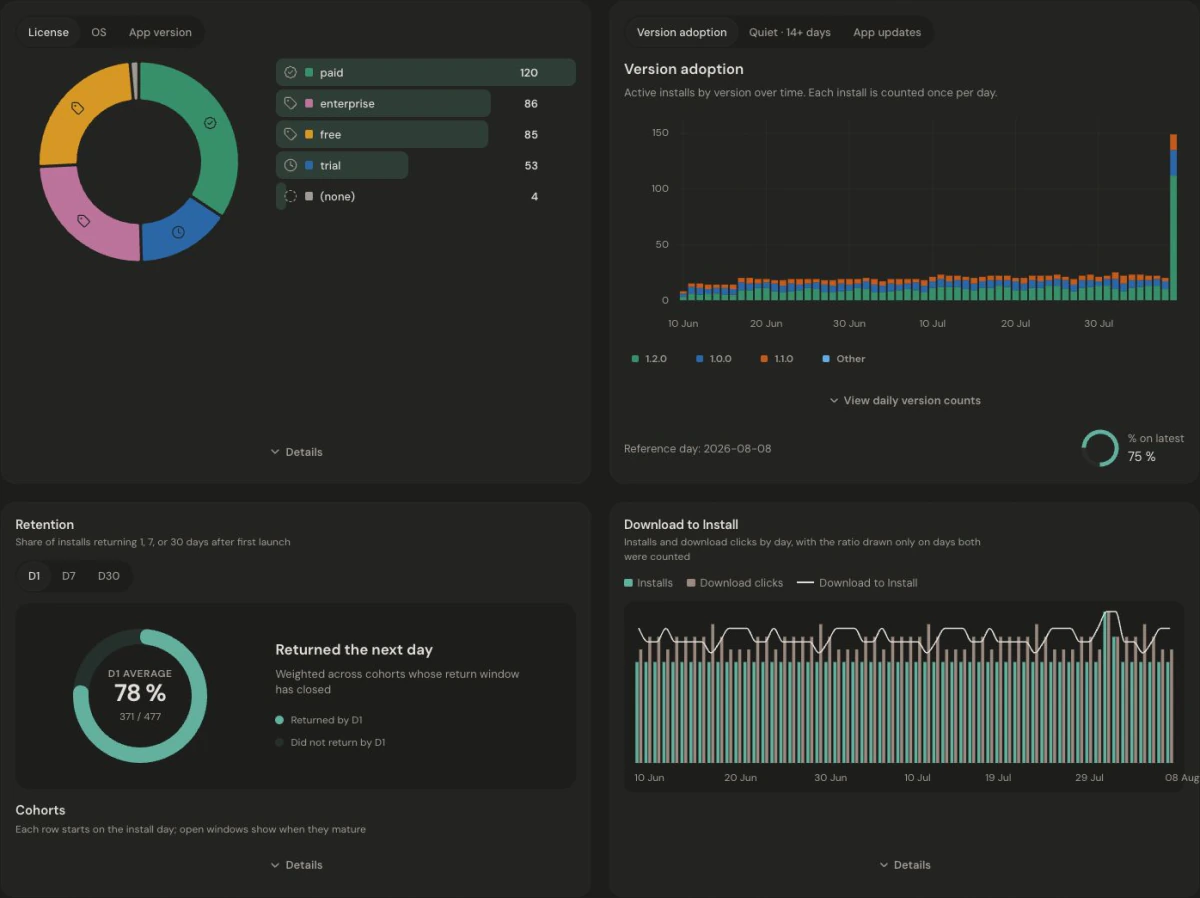
Website visits and app installs are not joined at the individual or marketing-channel level. Download to Install compares period totals; it is not a person-by-person conversion funnel. Read the app metric definitions.
Make the move
List the reports and conversions your team actually uses. Add Jelto to your website, map those conversions to registered goals, and verify campaigns and checkout attribution. Keep Google Ads workflows in place if you still depend on them.
Keep access to your existing history. These steps set up new collection; they do not import your Google Analytics reports.
Before you choose
Jelto offers a 14-day trial followed by a paid plan. Standard Google Analytics is available at no cost. Choose based on the reports and integrations you need, and include the work required to configure and maintain them in your decision.
For website reporting, goals, visit funnels, and supported revenue workflows, Jelto may cover your needs. Review your Google Ads, audience, and advanced reporting dependencies before replacing an existing setup.
Do not expect identical counts. Tools can use different visitor definitions, collection modes, bot filters, timezones, and attribution windows. Compare reporting definitions as well as totals.
This setup does not import Google Analytics history into Jelto. Keep access to your historical reports and verify new Jelto collection before changing your existing setup.
Compare revenue-first website analytics with a view of your website, desktop app, and revenue.
Compare Matomo’s broad suite and hosting choices with Jelto’s focused software-product reports.
Compare a cookieless website measurement layer with reporting for websites and desktop apps.
Start with a website, a desktop app, or both.
14 days. No credit card required.