

Choose Jelto if…
- You need reporting for both a website and a desktop app.
- You want to see how releases are adopted and whether installs return.
- You want goals, website visit funnels, and supported payment connections in the same dashboard.
Simple Analytics alternative
Website insight, with room for your app.
Simple Analytics focuses on website measurement without cookies or visitor profiles, including API and export workflows. Jelto combines website reporting with desktop installs, version adoption, retention, and revenue.
14 days. No credit card required.
Side by side
| What you need | Jelto | Simple Analytics |
|---|---|---|
| Website analytics | Traffic, pages, campaigns, goals, and website visit funnels. | Pageviews, events, referrers, and campaigns, with APIs and exports. |
| Desktop apps | Swift, Electron, Tauri, and .NET SDKs. Active installs, version adoption, and retention. | Website measurement plus server-side and mobile event submission. Event data can feed your own reporting. |
| Goals & funnels | Registered events and ordered steps within a website visit. | Goals built from events or pageviews, with filters and additional funnel steps. |
| Revenue | Stripe, Lemon Squeezy, Polar, and a Payments API. Aggregate channel attribution needs checkout setup. | Payment conversion events with metadata, available through goals, the Events Explorer, and exports. |
| Collection choices | Cookieless by default. Cookie mode and attribution memory are optional. IP addresses are never stored. | No cookies or visitor identifiers; does not build visitor profiles. |
| Hosting | Managed Jelto service, with your website and desktop reports in one dashboard. | Managed service hosted in the EU. |
| Pricing model | Starter and Growth plans include both pageviews and monthly active installs. Monthly or yearly billing.View Jelto pricing | Managed plans. Check current pricing for usage, access, and export requirements.View Simple Analytics pricing |
Reviewed September 8, 2026. Features and plans can change. Official sources
Example workflows
Two practical decisions, with steps from each product’s documentation.
You want to measure a website goal and understand how traffic reaches it.
How to decideBoth tools support goals and funnel workflows. Check the counting model and collection choices you need; Jelto also provides dedicated desktop reporting.
Register the conversion goal you need and create an ordered funnel from the landing page to pricing and the final action. The funnel counts progression within website visits.
Jelto goals and funnels guideBuild a Simple Analytics goal with pageview or event filters. Its goals documentation shows adding another step, such as the pricing page, to a homepage goal.
Simple Analytics goals guideYour team already uses exported website data in a spreadsheet or reporting pipeline.
How to decideKeep Simple Analytics when its export pipeline is central to your workflow. Evaluate Jelto for its combined dashboard without assuming it replaces your existing BI integration.
Verify new collection with your current reports still available. There is no Simple Analytics history import in Jelto; check the data source behind each BI report before changing it.
Jelto collection verification guideExport Simple Analytics data as CSV from its dashboard or through its APIs. Use the Stats API when your pipeline needs aggregated data rather than the raw export.
Simple Analytics export guideA look inside Jelto
For software teams, the next question is what happens after installation.
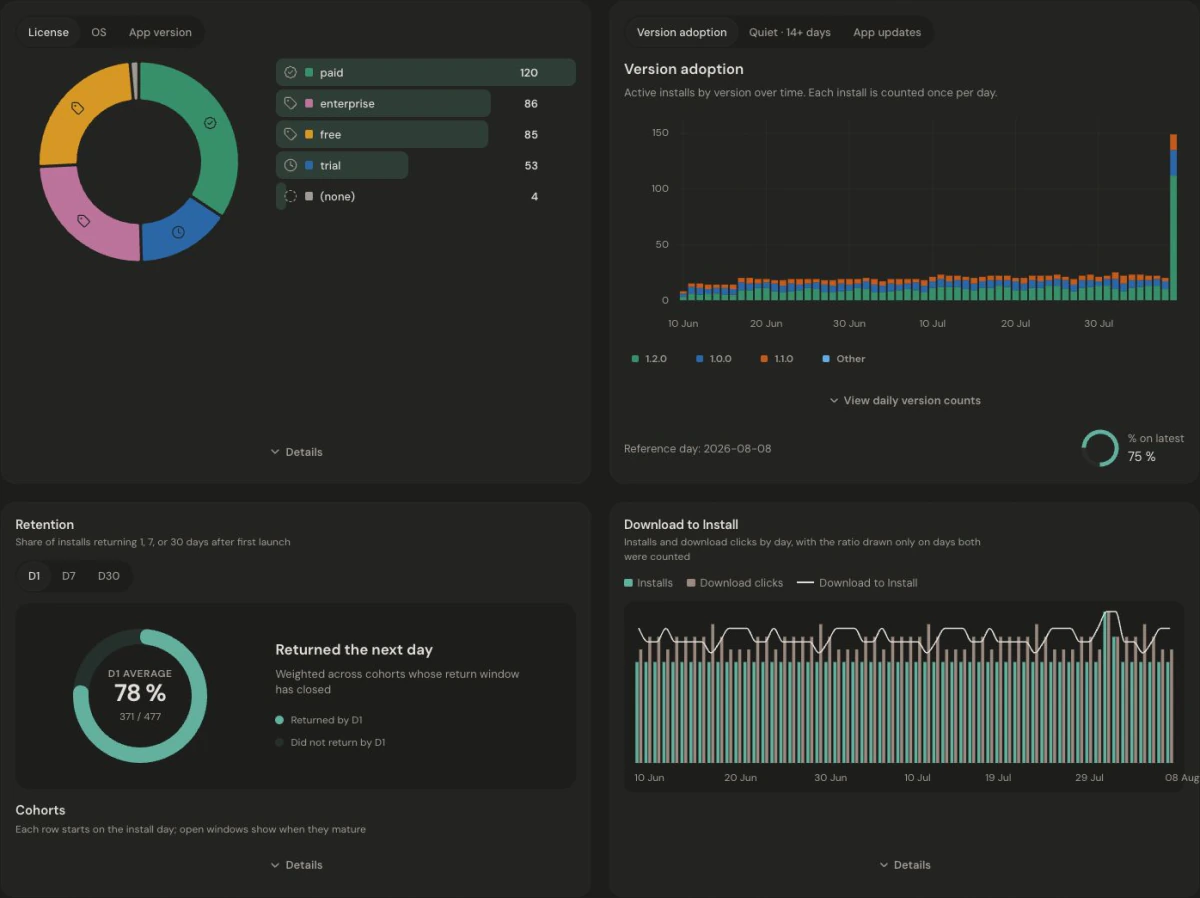
Website visits and app installs are not joined at the individual or marketing-channel level. Download to Install compares period totals; it is not a person-by-person conversion funnel. Read the app metric definitions.
Make the move
Decide whether you need a website measurement layer or a combined product dashboard. Install Jelto in its default cookieless mode, register the goals you need, and verify collection. Review the collection model before enabling optional cookie or attribution-memory features.
Keep access to your existing history. These steps set up new collection; they do not import your Simple Analytics reports.
Before you choose
Check website usage and the API or export access your reporting workflow needs. Then include monthly active installs if you plan to use Jelto for a desktop app. Review both current pricing pages before selecting a plan.
No. Both offer cookieless website measurement, but their identifiers and measurement methods differ. Simple Analytics describes collection without visitor IDs. Jelto also supports optional cookie mode and attribution memory; review its collection documentation for your setup.
Keep the data source those reports depend on until you have verified a replacement. Adding Jelto does not automatically migrate a Simple Analytics export or BI integration.
No. A website-only product is supported. Desktop reports become useful when you add a Swift, Electron, Tauri, or .NET app.
Compare simple website reporting with a dashboard that also covers app adoption and retention.
Two focused dashboards. See where desktop analytics and supported history imports make a difference.
Compare Google’s broad analytics platform with a focused dashboard for websites and desktop software.
Start with a website, a desktop app, or both.
14 days. No credit card required.